Project Plan Mind Map for Project Management: See Every Dependency Before the Kickoff
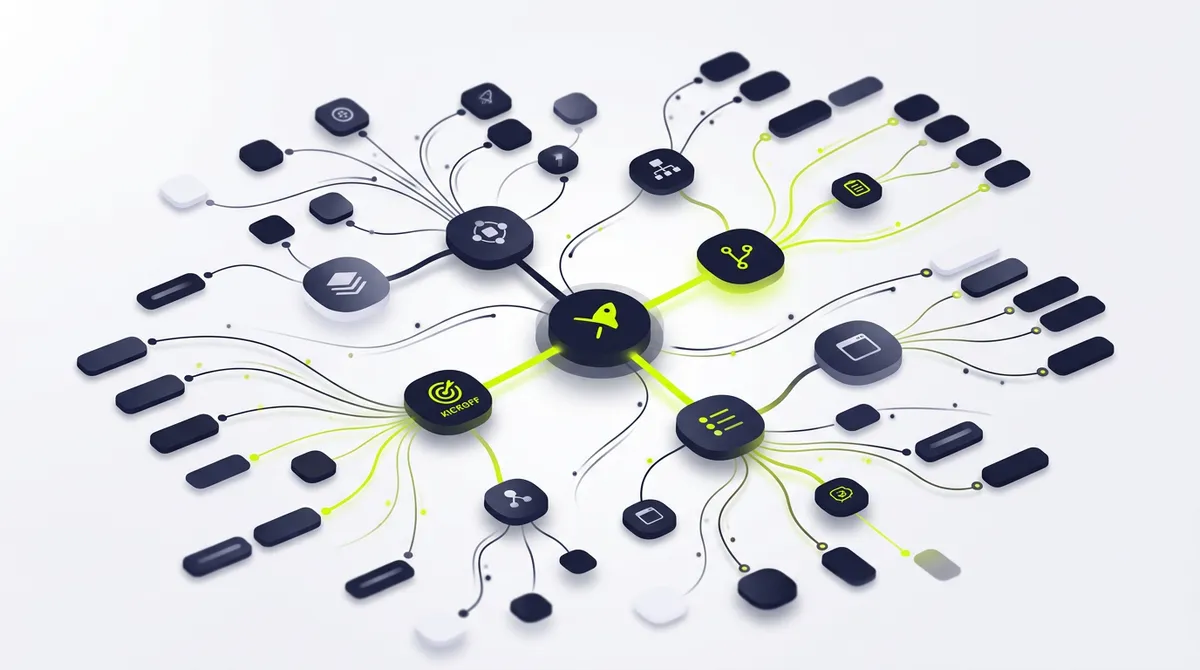
The project charter was approved yesterday. Stakeholders want to see the full project plan by the end of the week. You need a visual that shows scope, milestones, resource allocation, dependencies, risk factors, and the communication plan -- all in one view that a steering committee can absorb in two minutes.
You open your mapping tool. Blank canvas. Cursor blinking. You know the plan. You have managed similar projects before. The work ahead is not planning -- it is construction. Dragging boxes. Typing content. Aligning branches. Adjusting layouts until the map communicates the complexity you already understand.
That is 60 minutes of production labor for a deliverable that should exist the moment you describe it.
Why Visual Project Plans Outperform Gantt Charts #
The Project Management Institute's 2025 Pulse of the Profession report found that 44% of projects fail to meet their original objectives. The most cited cause: unclear scope definition and poor stakeholder alignment during the planning phase.
Gantt charts show time. Kanban boards show status. Neither shows structure. A project plan mindmap shows how every workstream connects to every other workstream, which is exactly the information stakeholders need during the planning phase to identify risks, resource conflicts, and scope gaps.
Project managers at organizations with 50-500 employees manage an average of 4-7 concurrent projects, each producing 3-5 planning deliverables: charter maps, work breakdown structures, dependency diagrams, resource allocation views, and risk assessment matrices. At 45 minutes per visual deliverable, a PM spends 9-18 hours per month on deliverable construction -- 15-25% of their working time on production labor rather than project leadership.
The visual format also solves the stakeholder comprehension problem. A steering committee member looking at a Gantt chart sees tasks and dates. A steering committee member looking at a mindmap sees how the infrastructure workstream depends on the vendor evaluation, which depends on the procurement process, which depends on the budget approval. The cause-and-effect chain is visible without explanation.
What Project Managers Have Tried #
Option 1: Build it manually in existing software.
Open XMind, MindMeister, or Miro. Start with a blank canvas. Spend 60 minutes constructing the project structure, typing scope descriptions, adding milestones, and formatting the layout until it is presentable enough for a steering committee. The map is accurate because you built every node from your knowledge. But the time cost is 60 minutes you could have spent resolving the vendor dispute that is actually threatening the timeline.
Option 2: Hire it out.
Brief a project coordinator or virtual assistant. Explain the project structure, the key phases, the dependency chain, the resource assignments. Wait for the draft. Find that the "Testing Phase" and "QA Phase" are listed as separate workstreams because the coordinator did not understand they are the same thing in this project's context. Revise. Re-brief. The total time exceeds building it yourself, just spread across two people.
Option 3: Use a project management tool's built-in views.
Asana, Monday, or Jira have timeline views and board views. But these are execution tools, not planning tools. They show individual tasks, not the strategic structure. When the CTO asks "What is the overall architecture of this project?" you cannot show them a Jira board with 200 tickets and call it a plan. They need a visual that shows 6 workstreams with clear phase gates and 4 dependency chains.
Option 4: Try an AI tool.
Open an AI-powered mapping tool. Generate a map. Get six nodes: "Planning," "Execution," "Testing," "Deployment," "Monitoring," "Closure." The waterfall model, summarized in six words. No scope details. No resource assignments. No dependencies. No milestones. Just the chapter headings of a PMBOK textbook arranged in a circle.
The Real Problem #
Project management tools are designed to track execution. Mind mapping tools are designed for creative brainstorming. Neither is designed to produce the visual project plan that bridges planning to execution -- the artifact that makes the steering committee say "I understand the plan" instead of "Walk me through it again."
A useful project plan mindmap contains scope boundaries, not just scope labels. It specifies "Phase 2 includes API integration with the three Tier-1 vendors identified in the evaluation; Phase 2 does not include legacy system migration, which is deferred to Phase 3 pending budget approval." That level of specificity prevents the scope creep that kills 52% of projects, according to PMI's data.
No existing tool generates that content. They generate containers. You fill them.
What Is in This Map #
This project plan mind map template contains 36 nodes across 6 primary branches:
Branch 1: Project Scope and Objectives
Defines what is in scope, what is explicitly out of scope, and the measurable success criteria. Sub-nodes specify deliverables with acceptance criteria: "User acceptance testing complete with less than 5 P1 defects and sign-off from three business unit leads." Includes a scope change management process node that defines how changes are evaluated, approved, and integrated.
Branch 2: Work Breakdown Structure
Decomposes the project into phases, workstreams, and work packages. Each work package node includes estimated effort (person-days), required skills, and expected output. Follows the 100% rule -- all work nodes roll up to the total project scope without gaps or overlaps. Includes both project work and project management overhead (reporting, stakeholder meetings, risk reviews).
Branch 3: Resource Allocation and RACI
Maps team members to workstreams with role assignments: Responsible, Accountable, Consulted, Informed. Each resource node includes availability percentage (no project gets 100% of anyone), skill gaps that require training or external support, and backup assignments for single-point-of-failure roles. Identifies the critical path resources whose availability determines the project timeline.
Branch 4: Timeline and Milestones
Phase-gated timeline with hard milestones (client-facing deadlines) and soft milestones (internal checkpoints). Each milestone node specifies the completion criteria, the approver, and the downstream dependencies that are blocked until the milestone clears. Includes buffer allocations: 10% per phase for known risks, 5% project-level reserve for unknown risks.
Branch 5: Dependency Chain and Critical Path
Maps the four types of dependencies: finish-to-start (most common), start-to-start, finish-to-finish, and start-to-finish. Highlights the critical path -- the longest chain of dependent activities that determines the minimum project duration. Each dependency node specifies the lead or lag time and the mitigation strategy if the predecessor is delayed.
Branch 6: Risk Register and Mitigation
Top 8-10 project risks ranked by probability x impact. Each risk node includes the trigger indicator (how you know the risk is materializing), the mitigation strategy (actions to reduce probability or impact), the contingency plan (what you do if the risk materializes despite mitigation), and the risk owner. Connects each risk to the project phase and workstream it most directly threatens.
Why This Template Works for Project Management #
Most project plan templates give you a framework. This template gives you a framework with content. The work breakdown structure contains real work packages with effort estimates, not empty categories. The risk register contains real risks with mitigation strategies, not placeholder labels.
The dependency chain branch is what makes this template operationally useful. Existing PM tools show dependencies as arrows between tasks. This template shows dependencies as a narrative: "The integration testing phase cannot begin until the API development phase delivers the v1 endpoint documentation (estimated Day 34). If API development is delayed, the testing phase slides day-for-day with no compression opportunity because the test team requires the documentation to write test cases."
The RACI branch addresses a problem that 65% of project managers identify as a top challenge (PMI 2025): unclear role assignments. By mapping every team member's responsibilities across workstreams, the template prevents the "I thought you were handling that" conversation that derails projects in Week 3.
Common Use Cases #
- Project kickoff alignment. PMs use this template to create the visual project plan that anchors the kickoff meeting. Instead of a 50-slide deck that loses the audience by slide 12, the mindmap communicates the entire project structure in one view. Stakeholders leave the meeting aligned on scope, timeline, and their specific responsibilities.
- Steering committee reporting. Monthly steering committee updates require a current project status view. The mindmap format lets PMs highlight which branches are on track (green), at risk (yellow), or blocked (red) without rebuilding the status report from scratch each month.
- Scope change impact analysis. When a stakeholder requests a scope change, the PM uses the mindmap to show the downstream impact. Adding a feature to Branch 2 affects the timeline in Branch 4, the resource allocation in Branch 3, and introduces a new risk in Branch 6. The visual makes the trade-off visible.
- New team member onboarding. When someone joins the project mid-stream, the mindmap gives them the full context in 10 minutes: project scope, their workstream, their dependencies, the current timeline, and the active risks. No need for a 90-minute onboarding meeting.
- Post-mortem structure. At project close, PMs use the original plan mindmap as the skeleton for the retrospective. Each branch gets annotated with what actually happened versus what was planned, creating a structured lessons-learned document rather than freeform feedback.
Related Templates #
- Risk Assessment Mind Map for Project Management - Deep risk analysis
- Budget Planning Mind Map for Project Management - Financial planning
- Project Plan Mind Map for Marketing - Campaign-specific planning
- Project Plan Mind Map for Consulting - Client engagement planning
Questions #
What is Nodekit? #
Nodekit generates complete, content-rich mindmaps from a plain-text description. You describe the project -- industry, scope, team size, constraints -- and you get a finished project plan map with real work packages, dependencies, milestones, and risk factors in every node.
Can I customize this template? #
Every node is editable. Adjust scope boundaries, change resource assignments, add or remove phases, update timeline estimates. The template is a starting point with real content, not a locked document.
What format can I export this in? #
PDF, PNG, and SVG. The export maintains the full visual hierarchy. PDF exports are formatted for presentation -- hand it to a steering committee as-is.
How is this different from a Gantt chart in MS Project or Asana? #
A Gantt chart shows tasks on a timeline. A mindmap shows the structural relationships between workstreams, dependencies, resources, and risks. Use the mindmap for planning and stakeholder communication. Use the Gantt for tracking execution. They are complementary, not competing.
Is this template free? #
You can view and interact with every template for free. Exporting and customizing requires a Nodekit account.
How many team members can this template accommodate? #
The RACI branch supports up to 15 named team members across 6 workstreams. For larger teams, you can add sub-branches for team leads and their direct reports.
featuredImage: "/blog-images/project-management-project-plan-mindmap-featured.webp" ogImage: "/blog-images/project-management-project-plan-mindmap-featured.webp" #
Nodekit: Describe it. Done.
Related Pages
Business Plan Mind Map for Consulting: The Client Deliverable That Closes Engagements
Consulting firms produce business plan deliverables that cost $200/hour to build manually. The strategic thinking takes 2 hours. The visual construction takes 2 more.
Competitive Analysis Mind Map for Consulting: Structure the Intelligence Your Clients Pay For
Competitive analysis is the highest-value deliverable in consulting. Building the visual that communicates it is the lowest-value task.
Content Calendar Mind Map for Marketing: See the Full Editorial Strategy in One View
Content calendars in spreadsheets show dates. Content calendar mindmaps show strategy. Which topics connect, which channels amplify what, and where the gaps are.
Project Plan Mind Map for Marketing: Ship Campaigns Without the Spreadsheet Spiral
Marketing teams spend 45 minutes building project plans that should take 15 seconds. The strategy is already in your head. The problem is construction.
SWOT Analysis Mind Map for Marketing: Turn Competitive Intelligence into Visual Strategy
A SWOT analysis is only useful when each quadrant contains specific, actionable intelligence. Most tools give you four boxes and a blank canvas.